
Cyber Incident Response for Small Businesses: Your First 60 Minutes
A practical guide to help small businesses contain a cyber incident, preserve evidence, protect unaffected systems and involve the right people during the crucial first 60 minutes.
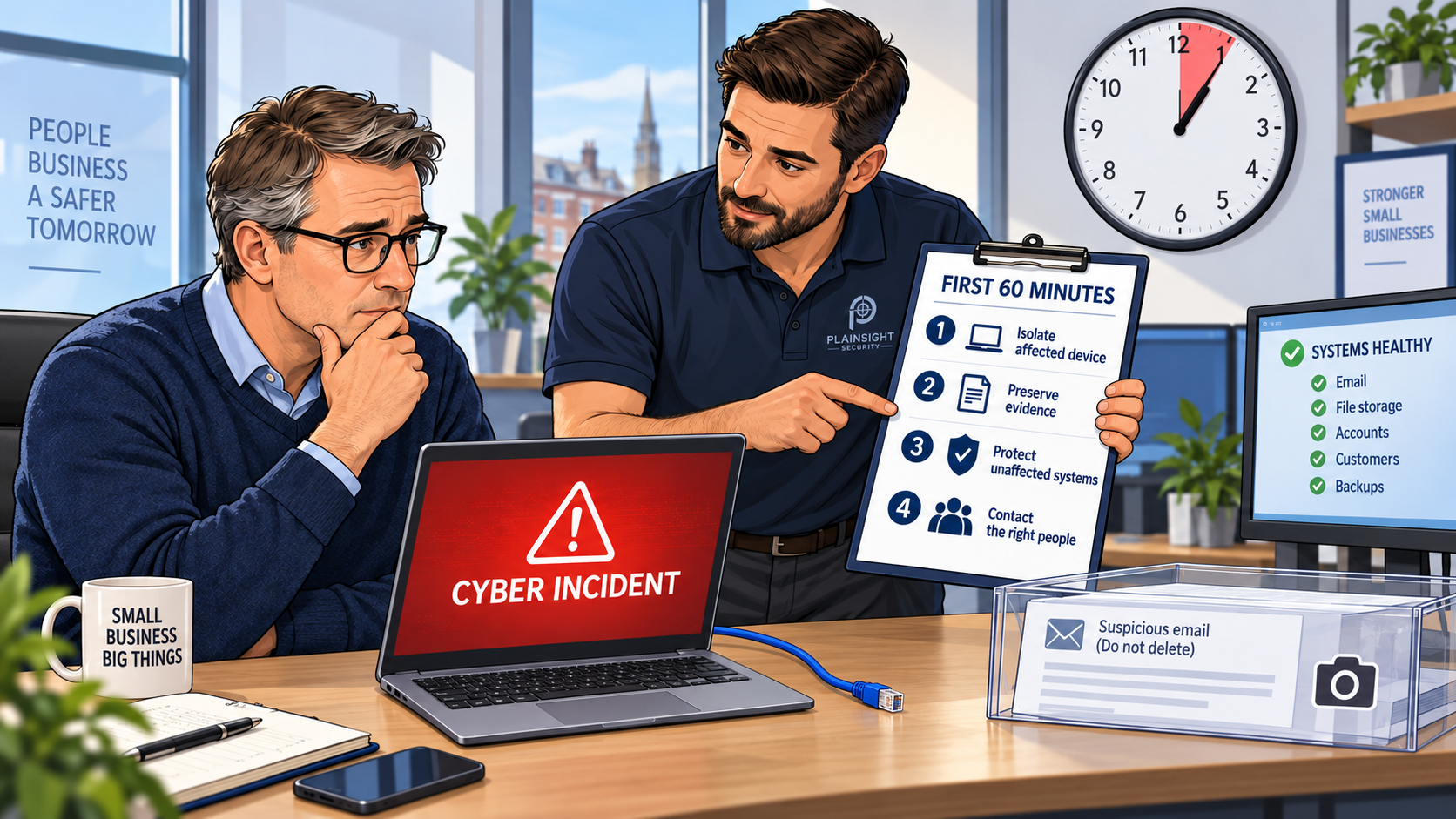
A suspected cyberattack can create immediate pressure to act. Systems may be unavailable, staff may be unable to work and there may be concerns about lost data, fraudulent payments or communications sent to customers.
In that situation, it is easy to make rushed decisions. A business might switch everything off, delete suspicious emails, rebuild affected computers or reset every password at once. Some of these actions may eventually be necessary, but carrying them out without coordination can increase disruption, destroy useful evidence or even alert an attacker before their access has been removed.
The actions taken during the first hour can significantly affect the damage caused, the time needed to recover and the evidence available to establish what happened.
Small businesses do not need a large internal security team to respond effectively. They do, however, need a calm and documented process. During the first 60 minutes, the priorities are to contain the incident, preserve evidence, protect unaffected systems and involve the right people.
This is not a complete investigation or recovery plan. It is a practical sequence to help a small business manage the crucial first hour.
What counts as a cyber incident?
A cyber incident is not limited to ransomware or a large-scale data breach. It could include:
- A Microsoft 365 or email account being compromised
- An employee entering their password into a phishing website
- Malware being detected on a computer
- Files being encrypted by ransomware
- Money being sent following a fraudulent payment request
- An administrator account behaving unexpectedly
- Customer or employee information being exposed
- A website or application being compromised
- A laptop or mobile device containing business data being lost
- An IT provider or supplier reporting a breach that affects your business
You do not need complete certainty before beginning your initial response. If there are reasonable signs that an account, device or service may have been compromised, it is better to begin recording and containing the incident while the facts are established.
The first 60 minutes
0 to 10 minutes: Confirm and contain
1. Contain affected systems
The immediate objective is to prevent the incident from spreading or causing further harm.
Depending on what has happened, containment might include:
- Disconnecting an affected computer from wired and wireless networks
- Disabling a compromised user account
- Revoking active Microsoft 365 or other cloud sessions
- Isolating an affected server or part of the network
- Blocking a known malicious IP address, domain or email sender
- Suspending a compromised application integration or API key
- Preventing an affected account from accessing sensitive systems
- Asking the bank to stop or recall a suspicious payment
Isolation is usually preferable to immediately wiping, rebuilding or powering off an affected device. The information held in memory, running processes and active network connections may help an incident-response specialist determine what happened.
Avoid disconnecting the whole business unless there is evidence that this is necessary. A complete shutdown can create unnecessary disruption, remove access to security logs and make coordinating the response more difficult.
If you are uncertain about the appropriate containment action, contact your IT provider or an incident-response specialist as quickly as possible.
2. Record what was discovered
Start an incident log as soon as the problem is identified.
Record:
- Who discovered the problem
- The exact time it was discovered
- What they saw or experienced
- Which device, account or service was involved
- Any suspicious messages, alerts or warnings
- Actions that have already been taken
- Who may have used the affected system
- Whether customers, suppliers, payments or personal information may be involved
Continue updating this log throughout the incident. Record what was done, when it was done, who performed the action and why the decision was made.
Take screenshots or photographs where appropriate. Error messages, security alerts, ransom notes and unusual account activity may disappear after a device is disconnected or an account is disabled.
10 to 20 minutes: Preserve evidence and escalate
3. Preserve useful evidence
Evidence can help establish:
- How the attacker gained access
- Which systems and accounts were affected
- What information may have been accessed
- Whether the attacker still has access
- How systems can be recovered safely
- Whether regulatory or contractual notifications are required
- Whether an insurance claim can be supported
- Whether the matter should be reported to the police
Useful evidence may include:
- Suspicious emails and their full headers
- Cloud sign-in and audit logs
- Firewall, VPN and web-server logs
- Endpoint-security alerts
- Ransom notes
- File names and timestamps
- Malicious IP addresses and domain names
- Screenshots of unusual activity
- Copies of affected files
- Records of fraudulent payments
- Details of telephone calls with suspected fraudsters
- The incident timeline
Do not normally forward a suspicious email to other employees. Forwarding can alter or remove useful header information, and it may expose another person to a malicious attachment or link. Preserve the original message wherever possible and seek advice on how to export it safely.
Avoid deleting suspicious files, clearing logs or rebuilding devices during this stage. Actions that appear to clean up the incident may remove evidence needed to understand its full extent.
4. Contact the right people
Identify one person who will coordinate the response. In a small business, this may be the owner, a director or a senior manager.
Depending on the incident, the response team may need to contact:
- The business owner or senior management
- The internal IT team
- The managed service provider
- A cyber incident-response specialist
- The person responsible for data protection
- The cyber insurer
- A solicitor or legal adviser
- The bank or payment provider
- The relevant software or cloud provider
- The police or Action Fraud
Appointing one incident coordinator helps prevent duplicated work, contradictory instructions and several people making changes without informing each other.
Make sure the coordinator uses a trusted method of communication. If Microsoft 365 or another communication platform may be compromised, do not rely entirely on affected accounts to discuss the response.
20 to 35 minutes: Protect the rest of the business
5. Protect unaffected accounts and systems
The first affected account or device may not be the full extent of the incident. Once the immediate problem has been contained, consider what else the attacker could access.
Appropriate actions might include:
- Resetting credentials known to have been exposed
- Revoking active sessions and refresh tokens
- Removing unfamiliar multi-factor authentication methods
- Checking for newly created administrator accounts
- Reviewing unexpected mailbox rules and email forwarding
- Disabling unused or legacy authentication methods
- Rotating exposed API keys and service credentials
- Blocking known malicious infrastructure
- Increasing monitoring across other systems
- Checking whether the affected password was reused
- Confirming that backup systems have not been accessed
Password changes should be performed from a known-clean device. Changing a password from an infected computer could give the attacker the new password as well as the old one.
Avoid automatically resetting every account without a plan. A coordinated reset may be necessary, but doing it indiscriminately can lock out legitimate users, interrupt essential services and make it harder to determine which credentials were actually compromised.
6. Look for signs of wider compromise
Begin a rapid assessment by asking:
- Has the affected account accessed any other systems?
- Does the user have administrator privileges?
- Was the same password used elsewhere?
- Have other employees received the same phishing message?
- Are there unusual sign-ins from unfamiliar locations or devices?
- Have security settings been changed?
- Have new applications or integrations been authorised?
- Have new user accounts or MFA methods appeared?
- Can the affected system access backups?
- Could the attacker reach customer, employee or financial information?
- Have customers or suppliers received messages from the affected account?
The objective at this stage is rapid scoping, not a complete forensic investigation. Establish whether the problem appears isolated or whether there are signs of a wider compromise requiring specialist support.
35 to 45 minutes: Assess the business impact
7. Establish what is at risk
Technical alerts do not always reveal the full business impact. The incident coordinator should consider:
- Which business services are unavailable?
- Can employees continue working safely?
- Are customer-facing services affected?
- Could sensitive or personal information be involved?
- Are payments or bank details at risk?
- Could customers or suppliers receive fraudulent messages?
- Are backups available, recent and protected?
- Is there any risk to health, safety or essential services?
- Does the attacker appear to retain access?
- Is the incident still developing?
Record confirmed facts separately from assumptions. For example:
Confirmed: A user entered their password into a phishing website at 09:15.
Suspected: The attacker may have accessed the user’s mailbox.
This distinction is important when making decisions and communicating with employees, customers, insurers or regulators.
8. Decide what must remain offline
There will often be pressure to restore systems quickly, particularly when downtime is affecting customers or preventing employees from working.
Systems should not be restored simply because their unavailability is inconvenient. Bringing a system back online before removing the attacker’s access can allow the compromise to continue.
Before restoring an affected system:
- Identify and address the original weakness
- Remove the attacker’s access
- Change exposed credentials
- Check for persistent access mechanisms
- Verify that recovery data and backups are clean
- Apply necessary security updates or configuration changes
- Increase monitoring
- Record who approved the restoration
Business continuity is important, but recovery must be safe. A rushed restoration can turn a contained incident into a second compromise.
45 to 60 minutes: Notify and communicate
9. Contact the cyber insurer
If the business has cyber insurance, review the policy and contact the insurer promptly.
The policy may require:
- Early notification of a suspected incident
- The use of approved incident-response providers
- Permission before significant recovery costs are incurred
- Preservation of relevant evidence
- Cooperation with appointed legal or forensic advisers
Do not assume that a cost or incident will be covered. Follow the insurer’s notification process and retain a record of all communications.
10. Consider regulatory and contractual obligations
A security incident does not automatically mean that a reportable personal-data breach has occurred. The business should nevertheless establish:
- Whether personal data is involved
- What types of information may have been affected
- Approximately how many people could be affected
- Whether the information was viewed, altered, lost or disclosed
- Whether it was encrypted or otherwise protected
- The possible consequences for the individuals concerned
- Whether customers or contractual partners must be notified
- Whether sector-specific reporting requirements apply
Where a personal-data breach is reportable, the organisation must notify the Information Commissioner’s Office without undue delay and, where feasible, within 72 hours of becoming aware of it. Not every personal-data breach must be reported, but the decision and reasoning should be documented.
The 72-hour period is not additional investigation time that should be allowed to expire before taking action. Obtain appropriate legal or data-protection advice as early as possible.
More information is available in the ICO’s guidance on personal-data breaches.
11. Communicate carefully
Initial communications should be factual, controlled and limited to what recipients need to know.
An internal update might explain:
- What is currently known
- What remains under investigation
- Which systems or accounts must not be used
- What employees need to do
- Who is coordinating the response
- Where further updates will come from
Avoid:
- Speculating about the cause
- Declaring the incident resolved too early
- Blaming an employee
- Publishing technical details that could help the attacker
- Claiming that no data was affected before this has been established
- Allowing several people to issue conflicting updates
If customers or suppliers could receive fraudulent messages, an early warning may be necessary. It should clearly explain what recipients should look out for and how they can verify genuine communications from the business.
What not to do during the first hour
During the initial response:
- Do not wipe or rebuild affected equipment immediately
- Do not delete suspicious emails or files
- Do not destroy or overwrite logs
- Do not use a suspected compromised account to coordinate the response
- Do not reset passwords from a potentially infected device
- Do not contact an attacker without specialist advice
- Do not pay a ransom impulsively
- Do not restore systems before understanding how they were compromised
- Do not conceal the incident from senior decision-makers
- Do not assume the first affected device is the full extent of the incident
The goal is to contain the problem without making the investigation or recovery more difficult.
Printable first-hour cyber incident checklist
Contain
- Isolate affected devices, accounts or services
- Stop suspicious payments or transactions
- Prevent the incident from spreading
- Avoid shutting down unaffected systems unnecessarily
Record and preserve
- Record the discovery time and initial symptoms
- Start a timeline of every action taken
- Preserve suspicious emails, alerts, logs and screenshots
- Avoid wiping or rebuilding affected devices
Escalate
- Appoint an incident coordinator
- Contact the IT team or managed service provider
- Contact an incident-response specialist if required
- Notify the cyber insurer
- Contact the bank immediately if money is involved
Protect
- Revoke compromised sessions
- Reset exposed credentials from a clean device
- Review MFA methods and administrator accounts
- Protect and isolate backups
- Check for evidence of compromise elsewhere
Assess and communicate
- Identify affected systems, information and operations
- Separate confirmed facts from assumptions
- Consider legal, regulatory and contractual obligations
- Give employees clear instructions
- Prepare controlled customer or supplier communications if required
Preparation makes the first hour easier
The worst time to decide how to respond to a cyber incident is after one has already started.
Small businesses should prepare:
- An incident-response contact list
- Named internal decision-makers
- Cyber-insurance policy and contact details
- Contact details for IT and security providers
- An accurate inventory of devices, systems and cloud services
- Recovery instructions that can be accessed offline
- Tested and protected backups
- Centralised logs with suitable retention
- Secure emergency administrator access
- An internal and external communication plan
- Periodic incident-response exercises
The plan must remain accessible if Microsoft 365, the company network or the normal communication systems are unavailable. Keeping an offline copy can prevent essential instructions and contact details from becoming inaccessible during the incident.
The first hour is about control, not complete answers
A small business does not need to diagnose the entire incident within 60 minutes.
It needs to:
- Stop the immediate spread
- Preserve evidence of what happened
- Protect the rest of the environment
- Understand the emerging business impact
- Involve the right people
- Avoid making recovery more difficult
A calm, documented response gives technical specialists, insurers and management the best chance of containing the damage and restoring operations safely.
Would your business know what to do during the first hour of a cyber incident? Plainsight Security can help identify weaknesses in your systems and provide independent assurance through Cyber Essentials, Cyber Essentials Plus and penetration testing.

Written by
Mark Tomlinson
Our lead penetration tester, Mark Tomlinson, holds The Cyber Scheme Team Leader qualification in infrastructure penetration testing, an advanced certification recognised by the National Cyber Security Centre (NCSC) and used by professionals testing government systems and UK critical national infrastructure. Mark is also registered with the UK Cyber Security Council as a Principal Cyber Security Professional (PriCSP) specialising in Security Testing and holds an MSc in Computer Science with Cyber Security.
More about how we workPut this into practice.
Cyber Essentials, Cyber Essentials Plus, and penetration testing — fixed-price, plain English, and built to stay out of your way.