
Penetration Testing for Schools and Education Providers
Penetration testing helps schools identify practical weaknesses, protect sensitive information and prioritise security improvements within their budget.
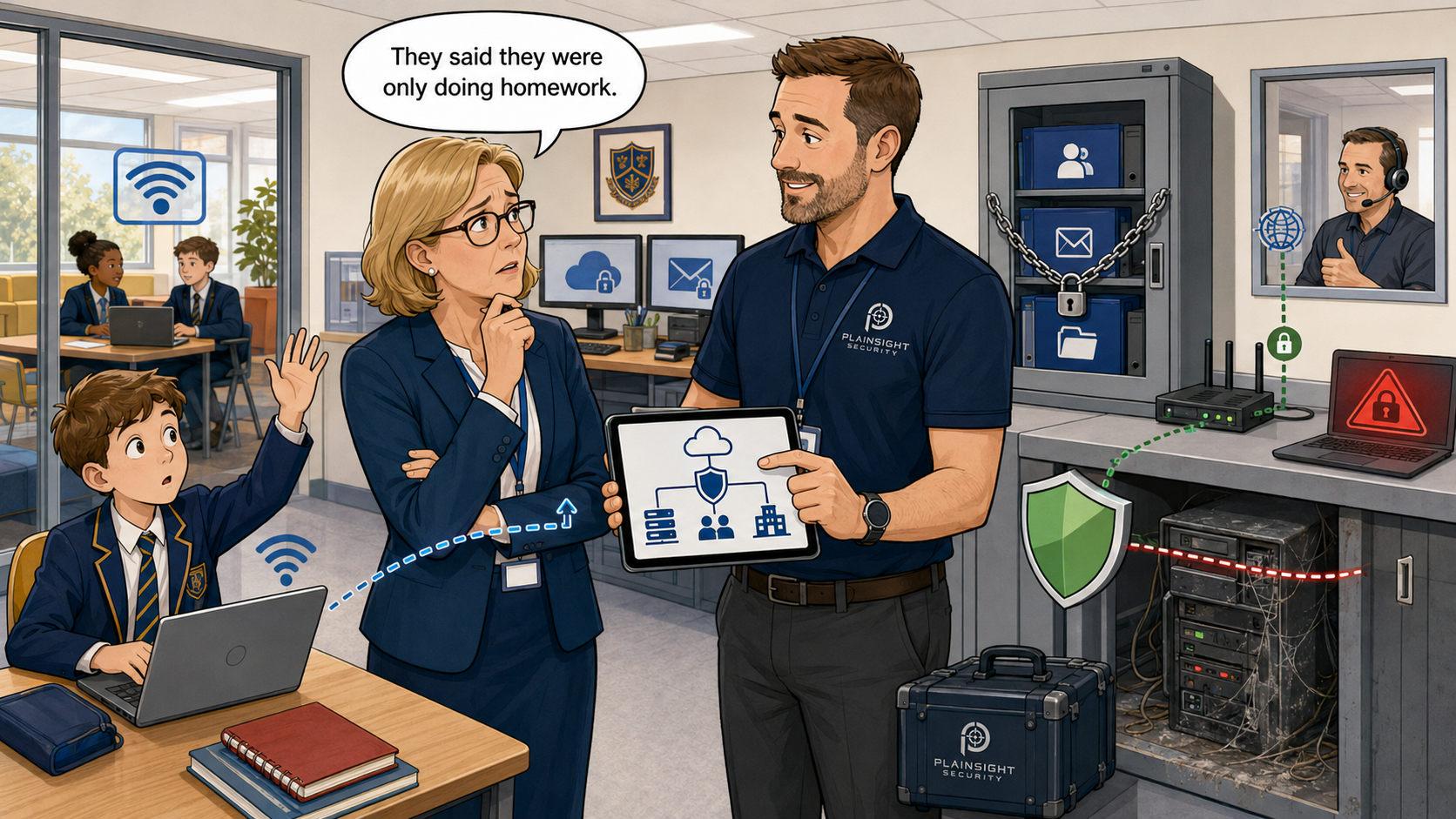
Schools rely on technology for almost every part of their operation.
It supports teaching, safeguarding, administration, communications, payroll, admissions, attendance and financial management. When those systems are unavailable, the consequences can quickly move beyond the IT department and affect the entire school community.
A serious cyber incident could disrupt:
- Lessons and examinations
- Access to safeguarding records
- Parent communications
- Payroll and financial systems
- Admissions and attendance
- Remote learning
- Statutory reporting
- Access to teaching resources
Schools may not consider themselves obvious targets for cybercriminals. However, they hold sensitive information, employ large numbers of busy users and often operate complex networks with limited IT and security resources.
Penetration testing can help identify practical weaknesses before they are exploited. It can also give senior leadership teams, governors and trustees clearer evidence about the risks facing the school.
The key is to make the testing proportionate to the school’s systems, risks, timetable and budget.
Protecting safeguarding and pupil information
Schools hold some of the most sensitive information an organisation can manage.
This may include:
- Safeguarding records
- Medical information
- Special educational needs information
- Pupil and parent contact details
- Behaviour and attendance records
- Staff employment records
- Financial information
- Copies of identity documents
- Information about vulnerable children and families
The consequences of unauthorised access go far beyond ordinary data loss.
A breach could expose deeply personal information, affect vulnerable children, undermine confidence among parents and staff, and result in regulatory or reputational consequences.
An attacker may not need direct access to the school’s main management information system. Sensitive information can also appear in email, shared drives, cloud storage, spreadsheets and local files on staff devices.
A penetration test can investigate whether weaknesses in the school’s systems could provide a route to this information.
For example, testing might identify that an ordinary user account can access an unnecessarily broad range of shared folders. It could reveal that one compromised device provides a route into administrative systems or that sensitive information is accessible from a poorly protected cloud account.
The objective is not simply to find vulnerabilities. It is to understand whether those weaknesses could expose the information and services that matter most to the school.
Staff accounts are valuable to attackers
A staff account may provide access to much more than email.
Depending on the employee’s role, it could provide access to:
- Shared documents
- Safeguarding information
- Financial systems
- Pupil records
- Cloud applications
- Parent contact details
- Internal communications
- Teaching resources
- Administrative portals
This makes staff accounts attractive targets.
Common weaknesses can include:
- Weak or reused passwords
- Inconsistent multi-factor authentication
- Excessive permissions
- Dormant accounts
- Shared accounts
- Legacy authentication
- Poorly controlled administrator access
- Incomplete offboarding
- Credentials stored in files or scripts
If an attacker compromises an account, they may monitor emails, download sensitive files or impersonate a trusted member of staff.
A genuine email account can also make fraud and phishing attempts much more convincing. An attacker could send messages to colleagues, parents or suppliers, request payments, distribute malicious links or change payment instructions.
The recipient may be more likely to trust the message because it comes from a familiar school address and may refer to genuine people or activities.
Testing can assess both the likelihood of account compromise and what an attacker could achieve afterwards.
This second question is particularly important. Multi-factor authentication and strong passwords can reduce the likelihood of compromise, but the school should still understand the potential impact if an account or device is breached.
A penetration test can examine whether a compromised standard user could escalate their privileges, access sensitive resources or move into other parts of the environment.
Cloud platforms need independent scrutiny
Many schools depend heavily on Microsoft 365, Google Workspace and specialist educational cloud services.
Moving systems into the cloud can improve accessibility and reduce the need to maintain some local infrastructure. However, cloud-hosted does not automatically mean securely configured.
The service provider protects the underlying platform, but the school remains responsible for many important security decisions, including:
- Identity and access controls
- Administrator roles
- Multi-factor authentication
- Guest access
- File-sharing settings
- Application permissions
- Conditional access policies
- Connected devices
- Security monitoring
- Account removal
Cloud environments can develop gradually.
New applications are connected, temporary guest accounts are created and staff receive additional permissions to solve immediate problems. Unless these changes are reviewed, access can accumulate over time.
An administrator may also assume that a security feature is active across the whole organisation when exceptions or older authentication methods allow some users to bypass it.
Testing and structured configuration reviews can identify weaknesses that are not always visible during normal IT administration.
For Microsoft 365 environments, it is often useful to combine technical testing with a review of the tenant’s security configuration. This can examine identity protection, administrative access, external sharing and the controls applied to staff accounts.
The assessment should also consider how Microsoft 365 relates to the wider school environment. A cloud account may provide access to files, email and applications, while the same credentials could also be used against other services.
Ageing infrastructure can create hidden risks
Education environments often contain a mixture of modern technology and older systems that have been retained because they still serve a useful purpose.
Examples may include:
- Older servers and operating systems
- Unsupported applications
- Ageing firewalls and network devices
- Interactive classroom equipment
- Shared computers
- Specialist teaching systems
- Devices that cannot be patched easily
- Systems inherited through previous IT arrangements
- Software tied to older hardware
- Equipment supplied and maintained by third parties
Legacy technology is not automatically vulnerable, but it can be more difficult to support, update and secure.
A system may be essential to a particular lesson, department or administrative process but no longer receive security updates from its manufacturer. Another system might work reliably, but nobody currently employed by the school fully understands how it was configured.
Replacing everything immediately may not be affordable or practical.
A penetration test can help the school understand which weaknesses present the greatest risk. This allows available budgets to be focused on the systems and issues that matter most.
Automated scanning may identify an old operating system or a known vulnerability. Penetration testing can go further by considering whether an attacker could realistically exploit the weakness, what access it would provide and whether other controls reduce the risk.
Testing should always be planned carefully.
Fragile systems can be identified during scoping, potentially disruptive techniques can be excluded and testing can be scheduled to minimise interference with teaching and administration.
The objective is to provide useful evidence without creating unnecessary operational risk.
Third-party access can extend the attack surface
Schools depend on a wide range of external organisations.
These may include:
- Managed service providers
- Software suppliers
- Local authorities
- Support contractors
- Catering and payment providers
- Facilities management companies
- Temporary staff
- Consultants
- Telecoms providers
- Specialist curriculum suppliers
Some of these organisations may have remote access, administrator accounts or access to sensitive information.
Third-party access can be entirely legitimate and necessary. The risk arises when that access is broader than required, poorly protected or retained longer than necessary.
A support account created during an installation may still be active several years later. A supplier’s remote management tool might provide extensive access across the school network. Shared administrator credentials may make it difficult to identify who performed a particular action.
Third-party access should be:
- Limited to what is required
- Protected with strong authentication
- Monitored where appropriate
- Reviewed regularly
- Removed when no longer needed
- Separated from sensitive systems where possible
External penetration testing can identify remote services that are unnecessarily exposed to the internet.
Internal testing can investigate how far an attacker might be able to move if a supplier account or remote management connection were compromised.
Schools should also understand which organisation is responsible for securing each part of the environment. Outsourcing IT support does not remove the need for the school to understand and manage its cyber risk.
Ransomware can stop the school operating
Ransomware is not simply an inconvenience that affects a few computers.
A successful attack could:
- Make teaching resources unavailable
- Lock staff out of email
- Prevent access to safeguarding information
- Interrupt payroll and supplier payments
- Disrupt examinations and reporting
- Affect admissions and attendance systems
- Expose sensitive information before systems are encrypted
- Require extensive investigation and recovery work
Modern ransomware attacks may involve data theft as well as encryption. Attackers can steal information and threaten to publish it, placing additional pressure on the organisation even if backups are available.
A penetration test cannot guarantee that ransomware will never succeed. It can, however, identify weaknesses that attackers commonly use during ransomware operations.
These may include:
- Exposed remote-access services
- Vulnerable internet-facing systems
- Weak credentials
- Unsupported software
- Excessive administrator privileges
- Poor network segmentation
- Credentials exposed on shared systems
- Weaknesses that allow movement between devices
- Security controls that ordinary users can disable
Internal testing is particularly valuable for understanding how an incident could spread.
The tester might begin with access representing a compromised staff laptop, ordinary user account or third-party connection. The assessment can then investigate whether an attacker could access other devices, gain additional privileges or reach sensitive administrative systems.
This helps the school understand not only how an attacker might get in, but what they could achieve once inside.
What should a school penetration test cover?
The right scope depends on the school’s environment and the questions it needs the assessment to answer.
Testing will usually fall into one or more of the following areas.
External penetration testing
An external penetration test examines systems and services that are exposed to the internet.
These might include:
- Firewalls and VPN gateways
- Remote-access services
- Web portals
- Email-related services
- Cloud-hosted infrastructure
- Public IP addresses
- Internet-facing administrative interfaces
The test considers what an attacker outside the organisation can discover and target.
It may identify outdated services, weak configurations, exposed management interfaces or information that could support further attacks.
External testing provides a practical starting point for schools that want to understand their public attack surface.
Internal penetration testing
An internal penetration test assesses what could happen if an attacker gained access through a compromised laptop, staff account or third-party connection.
It may examine:
- Network segmentation
- Active Directory
- Credential exposure
- Privilege escalation
- Unsupported systems
- Access to sensitive resources
- Administrator controls
- Routes between staff, pupil and administrative networks
- Opportunities to move between devices
Segmentation is particularly important in education environments.
Pupil devices may need internet access and teaching resources but should not provide a straightforward route to safeguarding, finance or administrative systems. Guest networks, staff networks and infrastructure management systems should also be separated appropriately.
An internal test can assess whether those boundaries work as intended.
Microsoft 365 security testing
A Microsoft 365 assessment examines identity, access and configuration risks within the school’s cloud environment.
This may include:
- Multi-factor authentication coverage
- Administrative privileges
- Conditional Access policies
- Guest users
- External sharing
- Legacy authentication
- Application permissions
- Mailbox security controls
- Dormant accounts
- Access from unmanaged devices
Microsoft 365 assessments should be designed around the school’s licensing and configuration. Not every control is available under every licence, so recommendations need to be practical and relevant.
Combining technical testing with a structured configuration review can provide a clearer picture of the environment than either approach alone.
Testing should be proportionate and carefully planned
Schools do not necessarily need an extensive penetration test covering every device, application and classroom.
A proportionate scope can be designed around:
- The size of the school
- Its network architecture
- Available budget
- Known concerns
- Critical systems
- Compliance requirements
- Previous incidents
- Recent infrastructure changes
- The level of internal IT support
- Customer or local authority requirements
A small primary school with outsourced IT support will need a different assessment from a multi-academy trust operating shared infrastructure across several sites.
The first step should be to identify what the school most needs to understand.
That may be whether internet-facing services are secure, whether staff accounts are properly protected or how far an attacker could move from a pupil or staff network.
Testing can be scheduled outside teaching hours or during school holidays where appropriate. This may be particularly useful for intrusive testing or assessments involving important infrastructure.
However, not every test needs to take place during a holiday. Much of the work can be conducted safely during normal operations when the scope and precautions have been agreed properly.
Fragile, safety-related or particularly sensitive systems can be excluded or handled using specific testing restrictions.
Turning the report into practical improvements
A penetration test should produce more than a list of vulnerabilities and technical terminology.
The report should help the school understand:
- What was identified
- How serious each issue is
- How the weakness could be exploited
- What the potential impact could be
- Which findings should be addressed first
- What practical remediation is required
- Whether additional investment is justified
Technical teams and IT providers need enough detail to reproduce and resolve the findings.
Senior leaders, governors and trustees need a clear explanation of the overall risk, the potential impact on the school and the priorities for improvement.
A useful executive summary can support conversations about:
- Security budgets
- Infrastructure replacement
- Cyber insurance
- Risk acceptance
- IT-provider performance
- Improvement planning
- Governance responsibilities
Not every finding will require an expensive new product or major infrastructure project.
Some issues may be resolved through configuration changes, account removal, improved segmentation or better management of administrator privileges. Where additional investment is needed, the report should provide evidence to support that decision.
Retesting should also be available to confirm that important findings have been resolved effectively.
A closed helpdesk ticket does not always mean that the underlying weakness has been removed. Independent retesting provides greater confidence that the remediation works in practice.
Providing clearer assurance
Schools face a difficult balance.
Technology must remain accessible to staff and pupils while sensitive information and essential services are properly protected. Budgets are limited, infrastructure can be complicated and replacing every older system immediately may not be realistic.
Proportionate penetration testing can provide an independent view of where the most significant weaknesses exist, what an attacker could achieve and where security investment should be prioritised.
It can also give senior leadership teams, governors and trustees better evidence when making decisions about cyber risk.
Are you responsible for cybersecurity within a school, academy or education provider?
Ask Plainsight Security about proportionate external, internal and Microsoft 365 testing designed around your systems, risks, timetable and budget.

Written by
Mark Tomlinson
Our lead penetration tester, Mark Tomlinson, holds The Cyber Scheme Team Leader qualification in infrastructure penetration testing, an advanced certification recognised by the National Cyber Security Centre (NCSC) and used by professionals testing government systems and UK critical national infrastructure. Mark is also registered with the UK Cyber Security Council as a Principal Cyber Security Professional (PriCSP) specialising in Security Testing and holds an MSc in Computer Science with Cyber Security.
More about how we workPut this into practice.
Cyber Essentials, Cyber Essentials Plus, and penetration testing — fixed-price, plain English, and built to stay out of your way.