
Your Backup Isn't a Backup Until You've Tested It
A backup is only useful if you can actually restore from it. This article explains why SMEs should test their backups, protect them from ransomware, and have a clear recovery plan.
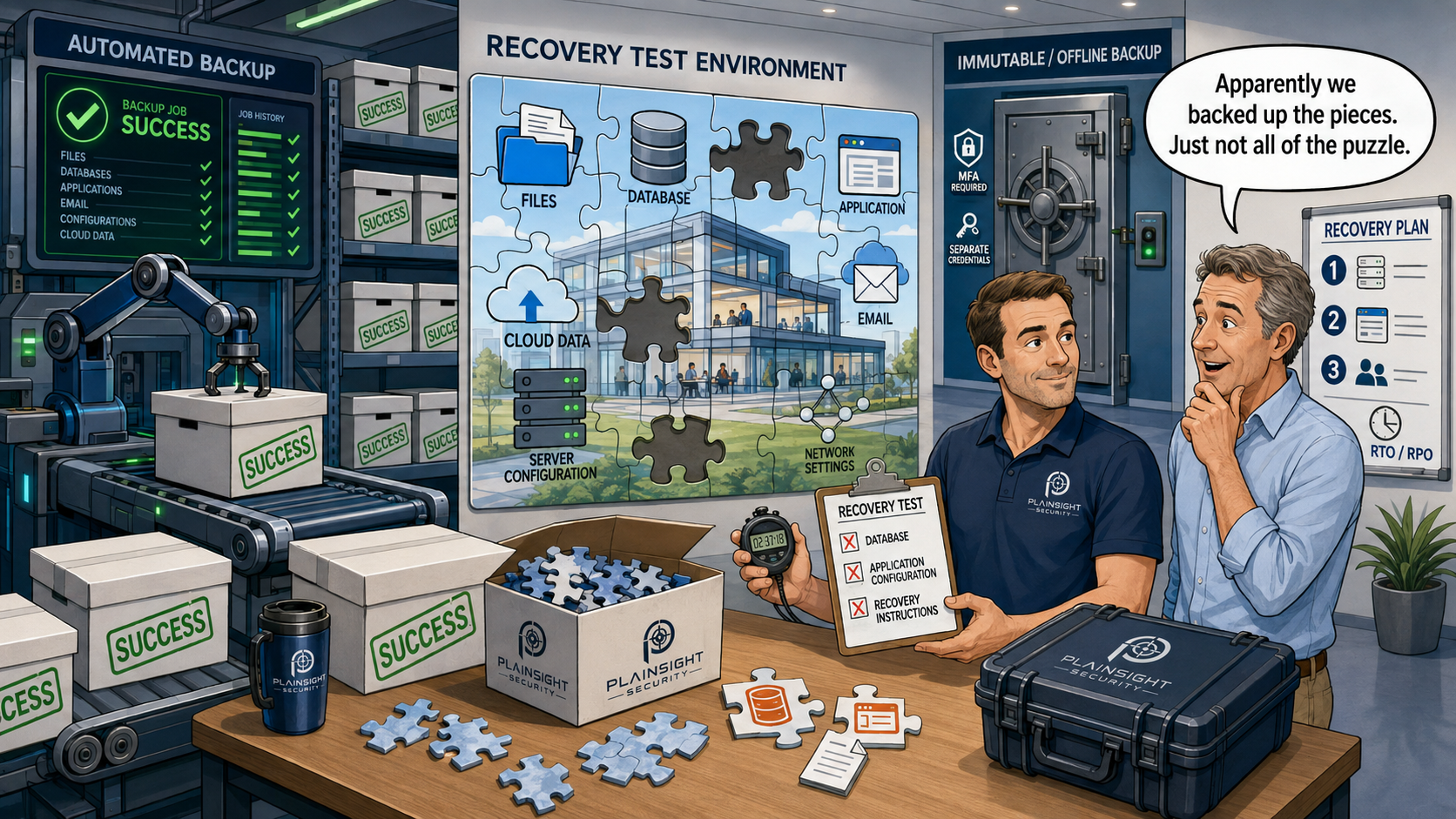
"We have backups."
It is one of the most reassuring things a business can say after a cyber attack. Unfortunately, having backups and being able to recover from them are two very different things.
A backup you have never successfully restored is an assumption, not a recovery strategy.
"We have backups" isn't the same as "we can recover"
Imagine a ransomware attack encrypts your servers. Your IT provider tells you the backups are intact.
Then you discover that the backup job has been failing for three months.
Or perhaps the backups completed successfully, but nobody has ever tested whether the data can actually be restored. The backup system says everything is fine, but when you need it, the database will not start or an important application is missing.
This is why the National Cyber Security Centre (NCSC) recommends regularly testing that backups can actually be restored.
A successful backup job only tells you that something was copied. It does not prove that you can recover your business.
What can go wrong with backups?
There are plenty of ways for a backup strategy to fail:
- Backup jobs silently fail
- Backup data becomes corrupted
- Retention periods are too short
- Important applications or databases are not included
- Backup credentials are compromised
- Ransomware reaches the backup system
- An attacker deletes backup sets
- Nobody knows how to perform a complete recovery
The last one is particularly easy to overlook.
If the person who configured your backups leaves the business tomorrow, could somebody else restore your critical systems?
Ransomware targets backups too
Modern ransomware attacks are not necessarily about encrypting a few PCs and demanding payment.
Attackers may first attempt to gain privileged access, move through the network and identify the systems responsible for recovery.
If an attacker can compromise both your production systems and your backups, your recovery options can disappear.
Backups therefore need to be protected as carefully as the systems they are designed to protect.
That means considering controls such as MFA, separate administrative accounts, least-privilege access, monitoring and, where appropriate, immutable or offline copies.
What should an SME actually back up?
"Back up our files" is not necessarily enough.
Think about everything you would need to rebuild the business, including:
- Documents and files
- Databases
- Servers
- Application data
- Microsoft 365 data
- Email, where appropriate
- Network and system configurations
- Critical business applications
- Important SaaS data
The better question is:
What would we need to rebuild the business if everything disappeared tomorrow?
That question can reveal some uncomfortable gaps.
The 3-2-1 rule isn't the whole story
The traditional 3-2-1 approach recommends having:
3 copies of your data
2 different types of storage
1 copy stored off-site
It is still a useful principle, but modern backup strategies also need to consider ransomware.
For example:
- Offline or immutable copies
- Separate backup credentials
- MFA
- Restricted administrative access
- Monitoring
- Appropriate retention
- Geographic separation
Three copies of your data are not particularly useful if an attacker with sufficient privileges can delete or encrypt all three.
Test the restore, not the backup job
This is the most important part.
There is a huge difference between:
"Last night's backup completed successfully."
and:
"We restored the database, application and associated files into a separate environment and verified that they work."
Start small if necessary.
File restore: Can you recover an individual file?
Application restore: Can the application actually run using the restored data?
Server recovery: Can you rebuild a server from the available backups?
Full recovery: Could you restore the critical services the business needs following a major incident?
The further you test, the more confidence you gain that your recovery strategy actually works.
How often should you test?
There is no single testing frequency that is right for every business.
It should reflect factors such as:
- How critical the system is
- How frequently it changes
- How complex the backup environment is
- How quickly you need to recover
- How much data you can afford to lose
- Any regulatory or customer requirements
Two useful concepts are RPO and RTO.
RPO (Recovery Point Objective): How much data can you afford to lose?
RTO (Recovery Time Objective): How long can you afford to be without the system?
If you cannot answer those questions, it is difficult to know whether your backup strategy is actually sufficient.
What happens if Microsoft 365 is compromised?
Cloud services can create another common misconception:
"It's in the cloud, so Microsoft backs it up."
Service availability and your ability to recover your business data are not the same thing.
Businesses should consider what would happen if important email, SharePoint, OneDrive or other Microsoft 365 data was accidentally deleted, maliciously deleted or compromised.
Your recovery requirements should determine whether additional Microsoft 365 backup arrangements are appropriate.
Who can delete your backups?
Here is a simple question worth asking:
If an attacker compromises your domain administrator account, can they also delete your backups?
If the answer is yes, your backup strategy may have a significant weakness.
Consider using separate backup credentials, least-privilege access, MFA, immutable or offline storage and monitoring of changes to backup systems.
Your backup administrator should not automatically have unrestricted access to everything else in the environment.
Don't forget the recovery plan
Even a perfectly functioning backup is not much use if nobody knows how to use it.
Your recovery documentation should identify:
- What needs to be restored first
- Where backups are located
- Who has access
- Recovery procedures
- Application dependencies
- Critical contacts
- Vendor details
- Recovery priorities
The objective is not simply to have a copy of your data.
It is to be able to restore the business.
Prove that you can recover
Don't ask your backup system whether it completed successfully.
Ask it to prove that you can recover.
Backups are an important part of cyber resilience, but they only become useful when you can restore the data and systems your business depends on.
For an SME, regularly testing recovery could be the difference between a serious cyber incident and a business-ending one.

Written by
Mark Tomlinson
Our lead penetration tester, Mark Tomlinson, holds The Cyber Scheme Team Leader qualification in infrastructure penetration testing, an advanced certification recognised by the National Cyber Security Centre (NCSC) and used by professionals testing government systems and UK critical national infrastructure. Mark is also registered with the UK Cyber Security Council as a Principal Cyber Security Professional (PriCSP) specialising in Security Testing and holds an MSc in Computer Science with Cyber Security.
More about how we workPut this into practice.
Cyber Essentials, Cyber Essentials Plus, and penetration testing — fixed-price, plain English, and built to stay out of your way.