
Your Password Is the Problem: Why Passkeys Are the Future of Authentication
Passkeys provide stronger, passwordless security by using cryptographic credentials that are resistant to phishing and credential theft.
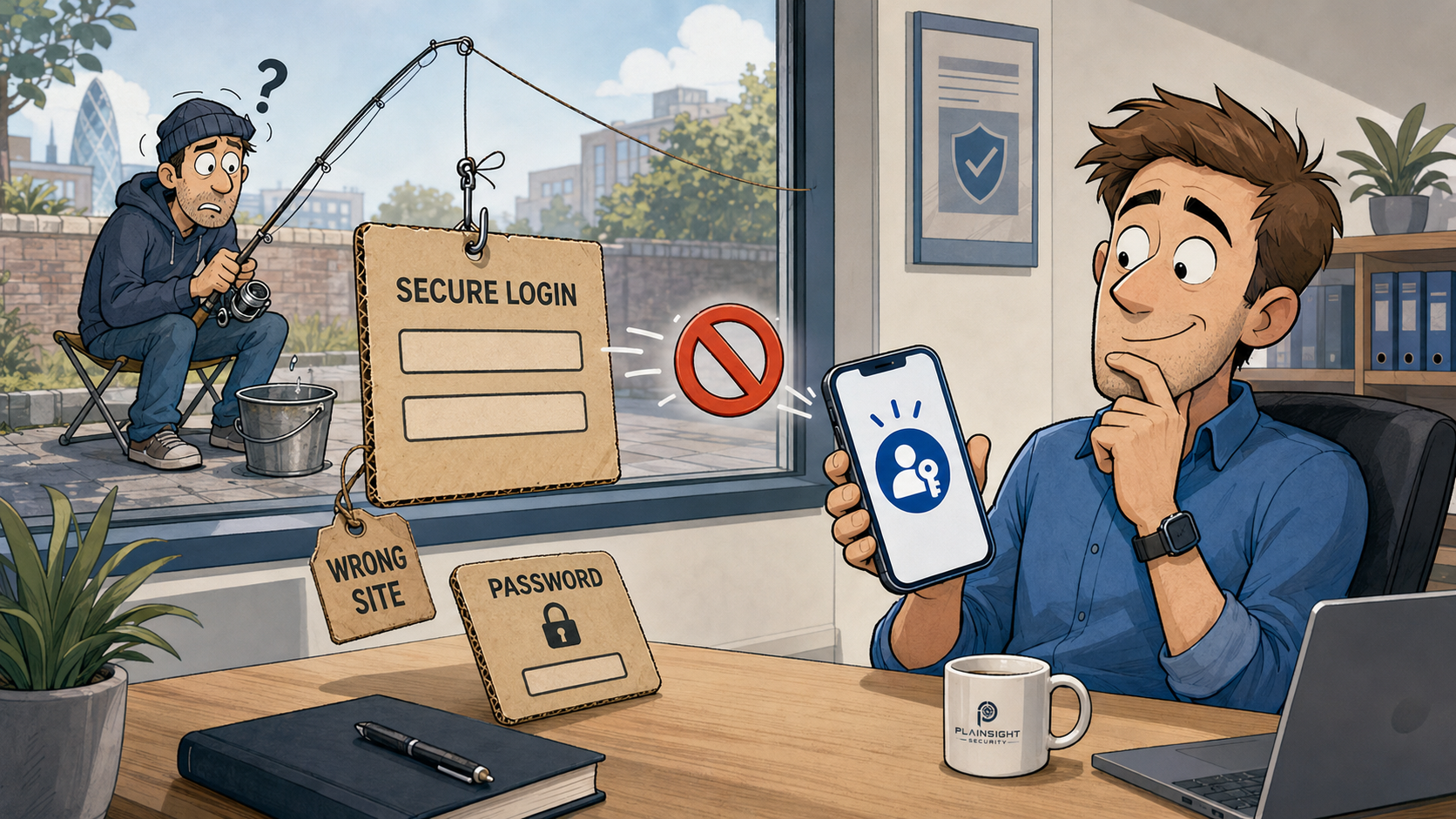
Passwords are one of the oldest and most widely used security mechanisms in computing. They are also one of the most persistent sources of security problems.
The issue is not simply that people choose weak passwords or reuse them. The deeper problem is that a password is a shared secret. The user has to create it, remember it and protect it, while the organisation they are logging into also has to protect the credentials associated with it.
Passkeys take a fundamentally different approach.
Instead of asking the user to prove that they know a secret, passkeys use public-key cryptography to prove that the user controls a cryptographic credential.
That difference is what makes passkeys particularly interesting from a security perspective.
Passwords Have a Fundamental Security Problem
A password has a surprisingly difficult job.
It needs to be:
- Created securely
- Remembered or stored
- Entered correctly
- Protected from phishing
- Kept secret
- Protected by the organisation storing the account
- Prevented from being reused elsewhere
This creates two separate security problems.
You have to protect the password, and the organisation has to protect the authentication data associated with it.
If an attacker obtains your password through phishing, malware, password reuse or a data breach, they may be able to authenticate as you.
And because passwords are often reused, compromising one service can sometimes lead to compromise of another.
This is the fundamental weakness of passwords: the thing that proves who you are is itself a secret that can be copied.
What If the Website Never Had Your Password?
This is where passkeys change the model.
When you register a passkey, your device or authenticator creates a cryptographic key pair:
Your device
     │
     ├── Private key → remains protected by the authenticator
     │
     └── Public key ──→ registered with the website
The private key is the important part. It is kept within the device or authenticator and is not given to the website.
The public key is registered with the service. It is not secret and, by itself, cannot be used to authenticate as you.
The website therefore doesn't need to know your password because there isn't one.
Instead, it knows the public key associated with your account and can use it to verify that the corresponding private key has been used during authentication.
That is a very different security model from traditional passwords.
How Passkeys Actually Work
The underlying technology uses public-key cryptography and standards including WebAuthn and FIDO2.
You don't need to understand the mathematics behind elliptic-curve cryptography to understand the security model.
During registration, the authenticator generates a key pair. The private key stays protected by the authenticator while the public key is sent to the service.
During authentication, the website generates a challenge.
The authenticator then uses the private key to produce a cryptographic signature over that challenge.
Conceptually:
Website
   │
   │  Sends authentication challenge
   ▼
Authenticator
   │
   │  Signs challenge using private key
   ▼
Website
   │
   │  Verifies signature using public key
   ▼
Authentication succeeds
At no point does the private key need to be sent to the website.
The website simply verifies that the response could only have been produced by someone with access to the corresponding private key.
This is one of the reasons passkeys are so powerful. The credential can prove possession without exposing the credential itself.
Why Passkeys Are Resistant to Phishing
This is arguably the biggest security advantage of passkeys.
Consider a traditional phishing attack.
An attacker creates a fake Microsoft 365 login page and sends it to an employee.
The employee enters:
Username
Password
MFA code
The attacker can potentially capture all three.
Even MFA does not automatically make an authentication system phishing-resistant. Some MFA methods can themselves be intercepted or relayed by an attacker using a convincing phishing proxy.
Passkeys approach the problem differently.
The authentication is cryptographically associated with the legitimate website's origin.
The authenticator isn't simply asking:
"What password did the user type?"
It is performing an authentication operation associated with the legitimate relying party.
A fake website cannot simply ask the user's passkey to authenticate to the real website and then collect the resulting secret. There is no password to capture, and the cryptographic authentication is tied to the legitimate origin.
This is why passkeys are described as phishing-resistant authentication.
A fake Microsoft login page can ask you for your password.
It cannot simply collect your passkey in the same way.
What Happens If the Website Is Breached?
Another important advantage appears when the service itself is compromised.
With a conventional password system, an attacker might obtain:
- Usernames
- Password hashes
- Authentication data
- Other account information
Good password storage practices mean that passwords should be salted and strongly hashed rather than stored in plaintext. However, a stolen password database can still become valuable to attackers, particularly when weak passwords or password reuse are involved.
With passkeys, the service stores the public key.
The private key remains with the user's authenticator.
Stealing the authentication database therefore does not give the attacker the private key needed to authenticate as the user.
The public key is deliberately designed to be shared.
That doesn't mean a compromised service is harmless. An attacker may still obtain valuable account information or attempt attacks against account recovery, sessions or other parts of the application.
But the central authentication credential isn't sitting in the database waiting to be stolen.
Your Biometric Isn't Your Passkey
There is sometimes confusion about what actually happens when you authenticate using a fingerprint or face recognition.
The biometric isn't normally sent to the website as your authentication credential.
Instead, it is used locally by the authenticator to unlock or authorise use of the private key.
For example:
Fingerprint
     ↓
Device authenticator
     ↓
Private key is authorised for use
     ↓
Challenge is cryptographically signed
     ↓
Website verifies signature
The same basic concept can work with a device PIN, depending on the authenticator and configuration.
Passkeys can therefore be protected using mechanisms such as:
- Fingerprint
- Face recognition
- Device PIN
- Hardware security keys
The important distinction is that the biometric or PIN is used locally to unlock the credential rather than being transmitted to the website as the credential itself.
Passkeys vs Passwords and MFA
It would be wrong to suggest that passkeys are simply "better than MFA".
The comparison is more nuanced.
A password combined with SMS-based MFA is considerably better than a password alone, but SMS has well-known weaknesses and is not generally considered phishing-resistant.
A password combined with an authenticator app provides substantially stronger protection.
A password combined with a FIDO2 security key can provide very strong, phishing-resistant authentication.
Passkeys take another step by allowing the password itself to be removed from the authentication process.
The distinction is important:
Passkeys aren't simply another factor bolted onto a password. They can replace the password itself.
This removes an entire class of credential theft attacks rather than simply adding another layer around a vulnerable credential.
What Happens If You Lose Your Phone?
This is one of the most practical questions businesses have when considering passkeys.
The answer depends on the type of passkey and the ecosystem being used.
Some passkeys can be synchronised through supported password or credential managers and device ecosystems, allowing credentials to become available on a new device.
Hardware-backed credentials can also be used, including physical security keys.
For businesses, this means the recovery process needs to be considered alongside deployment.
Organisations should think about:
- What happens when an employee loses a device?
- How are replacement devices enrolled?
- Can users have passkeys on multiple devices?
- Should security keys be issued to administrators?
- How are lost credentials revoked?
- How does account recovery work?
- Who can perform account recovery?
- What happens when an employee leaves?
This last point is particularly important.
A beautifully designed authentication system can still be undermined by a weak account recovery process.
If an attacker can simply phone the helpdesk, persuade someone that they have lost their device and have a new authentication method registered, the strength of the original authentication mechanism becomes largely irrelevant.
Account recovery is part of authentication security.
Are Passkeys Actually Secure?
Passkeys can provide extremely strong authentication, but like any security technology, implementation matters.
An organisation still needs to consider:
- Device security
- Identity-provider configuration
- Authenticator security
- User enrolment
- Credential revocation
- Account recovery
- Device management
- Privileged accounts
- Offboarding
For example, if an administrator's Microsoft 365 account is protected by a strong passkey but an attacker can bypass that authentication through a poorly controlled recovery process, the organisation still has a problem.
Passkeys therefore shouldn't be viewed as a magic security solution.
They are a powerful authentication mechanism that removes some fundamental weaknesses of passwords.
Passkeys and Microsoft 365
For organisations using Microsoft 365 and Microsoft Entra ID, moving towards phishing-resistant authentication is particularly relevant.
Passkeys and other FIDO2-based authentication methods can help organisations reduce their dependency on passwords and improve protection against credential phishing.
The potential benefits include:
- Reduced password dependency
- Stronger protection against phishing
- Less reliance on password resets
- Phishing-resistant authentication
- Better protection for privileged accounts
- Reduced opportunities for password reuse
One sensible starting point for an SME is its privileged accounts.
Administrators have access to systems, data and configuration that ordinary user accounts do not.
Compromising an administrator can therefore have consequences far beyond a single mailbox.
Privileged accounts are an excellent place to consider phishing-resistant authentication first.
Why SMEs Should Care
Passkeys aren't just a technology for large enterprises.
SMEs are attractive targets precisely because attackers know that smaller organisations may have limited security resources.
Attackers don't necessarily need an advanced exploit. Sometimes they simply need an employee to enter a password into a convincing phishing site.
SMEs may also have:
- Password reuse
- Limited IT resources
- Inconsistent MFA deployment
- Users with excessive privileges
- Valuable Microsoft 365 accounts
- Limited security monitoring
Passkeys address one of the fundamental weaknesses in this model.
They make the authentication credential much harder to steal remotely.
That doesn't eliminate phishing, but it makes one of the most common objectives of phishing attacks considerably harder to achieve.
Passkeys Don't Solve Every Security Problem
It is important not to oversell them.
Passkeys don't protect an organisation from everything.
They don't automatically prevent:
- Malware controlling a user's device
- Session theft
- Poor account recovery
- Social engineering of support staff
- Poor device security
- Insider threats
- Misconfigured identity systems
- Compromised endpoints
An attacker who already controls a user's device may be able to do things that are outside the scope of the authentication mechanism itself.
Passkeys are therefore one powerful layer of security, not a replacement for good endpoint security, identity management, access control and monitoring.
Should Your Business Move to Passkeys?
For many organisations, the sensible approach is gradual adoption.
Start with privileged users
Protect administrator and other high-value accounts with phishing-resistant authentication.
These accounts represent a particularly attractive target for attackers.
Move on to high-risk users
Consider users such as:
- Finance staff
- Directors
- Senior management
- IT administrators
- Users with access to sensitive information
Expand deployment
As applications and identity providers support passkeys, organisations can gradually extend their use across the wider workforce.
At the same time, document the operational side of the change.
Make sure you understand how users recover access, how credentials are revoked and what happens when devices are lost or replaced.
Security shouldn't end when the user loses their phone.
The Future Is Probably Passwordless
Passwords have survived for decades because they are simple and universal.
But simplicity comes with a fundamental weakness.
A password is a shared secret that humans have to create, remember and protect.
Passkeys move authentication towards a different model:
Proof that you possess a cryptographic credential.
That is a fundamental change.
The most important benefit of passkeys isn't that users don't have to remember another complicated password.
It is that there is no password for a phishing site to steal.
Passkeys use public-key cryptography to provide authentication without sending a shared secret to the service. When implemented correctly, they can significantly reduce the risks associated with phishing, password reuse and credential theft.
For SMEs looking to improve authentication security, passkeys and other phishing-resistant authentication methods are well worth serious consideration.
The future of authentication isn't necessarily a better password. It may be getting rid of passwords altogether.

Written by
Mark Tomlinson
Our lead penetration tester, Mark Tomlinson, holds The Cyber Scheme Team Leader qualification in infrastructure penetration testing, an advanced certification recognised by the National Cyber Security Centre (NCSC) and used by professionals testing government systems and UK critical national infrastructure. Mark is also registered with the UK Cyber Security Council as a Principal Cyber Security Professional (PriCSP) specialising in Security Testing and holds an MSc in Computer Science with Cyber Security.
More about how we workPut this into practice.
Cyber Essentials, Cyber Essentials Plus, and penetration testing — fixed-price, plain English, and built to stay out of your way.